My 2026 Rust Toolkit
Hi folks. Today I'm going to demo my 2026 toolkit for writing rust, containing a dozen or so tools & packages that I use in every project, along with smart default config.
I'll start with the single tool that I manage nearly all of this with:
PART 0: DEVENV
(not sponsored by devenv!)
Not everyone is powerful enough to use nix, I know I wasn't for many years, but there is a gateway drug available in DEVENV, which you can think of as a json-like DSL or schema that gives you access to the largest package repository on the planet, config for those packages, and per-project isolation without the overhead of containers.
(Finally no more VMs to run docker on mac in!)
Not everyone is powerful enough to use nix, I know I wasn't for many years, but there is a gateway drug available in DEVENV, which you can think of as a json-like DSL or schema that gives you access to the largest package repository on the planet, config for those packages, and per-project isolation without the overhead of containers.
(Finally no more VMs to run docker on mac in!)
Just look at what we've got configured in a single file:
{
  languages.rust = {
    enable = true;
    channel = "nightly";
    components = [ "rustc" "cargo" "clippy" "rust-analyzer" ];
  };
  packages = with pkgs; [
    bacon
    cargo-seek
    cargo-nextest
    cargo-generate
  ];
  scripts.watcher = {
    exec = ''
        watchexec -c -e rs \
        "cargo clippy && cargo test && cargo run"
    '';
    packages = [ pkgs.watchexec ];
  };
  env.LD_LIBRARY_PATH = lib.makeLibraryPath [
    pkgs.zlib
  ];
  env = {
      DATABASE_URL = "postgres://user:pass@localhost/dbname";
  };
  enterShell = ''
    echo "Crates ready to update with 'cargo update'":
    cargo update -n
  '';
  git-hooks.hooks = {
    clippy.enable = true;
  };
}
Rust installation, set to nightly, with rust-analyzer and clippy,
System packages, including bacon and cargo-seek, more on them later
We've defined scripts that will be available inside the devenv, that THEMSELVES have isolated dependencies, include C libraries without touching the outside system or any other projects.
We can even set environment variables, auto-run scripts when activating, and devenv even supports pre-commit hooks like clippy and rustfmt out of the box.
AND ALSO:
- tasks
- git hooks
- processes
- services
- tests
- container generation
- poly/monorepo composable
- multiple profiles
- nix packaging
- nix distribution
- ad-hoc environments
- secrets management
- JUST GET IT OK
Look, you don't HAVE to use devenv, indeed the rest of the video won't assume you do. I'm not saying that developers who don't use nix should go to prison.
Yet.
But isn't it COOL that you get all this in a SINGLE config file that you can check in to your project's repo, and share with your colleagues!?
Sidenote: I acknowledge to the nix nation that though you can certainly do all this with nix out of the box, you can't do it as simply.
If you want one tool to rule them all, it's Devenv, and you may watch this terrific video by vimjoyer on the subject.
HOWEVER.
I'm not here to just give you a config file, and send you on your way.
Let me show you how I use all these together.
PART 1: TOOLING
$ rustup update nightly
info: syncing channel updates for nightly-x86_64-unknown-linux-gnu
info: latest update on 2026-08-15 for version 1.99.0-nightly (d453bdd8f 2026-08-14)
info: downloading 8 components
rust-analyzer installed                        9.04 MiB
     rust-src installed                        5.59 MiB
        cargo installed                       10.44 MiB
       clippy installed                        5.00 MiB
    rust-docs installed                       23.17 MiB
     rust-std unpacking   [ ---
        rustc pending installation            79.47 MiB
      rustfmt pending installation             2.37 Mi
RUSTUP
Install and easily switch between stable, beta, and nightly compilers and keep them updated.
curl --proto '=https' --tlsv1.2 -sSf https://sh.rustup.rs | sh
$ rustup default nightly

info: default toolchain set to nightly-x86_64-unknown-linux-gnu
  nightly-x86_64-unknown-linux-gnu - rustc 1.99.0-nightly (3d6c19bb9 2026-08-11)
If you're NOT using devenv, then the first thing you'll need to bootstrap your rust dev environment, whatever your operating system, is the Rustup installer, version, and component manager.
Run the one-liner here from rustup.rs, then when it's installed switch to nightly.
While you may stay on the stable version if you have very good reason, I have been using nightly since 2020.
The benefits, not least to compile times, have been worth the one or two occasions I've had to switch back to stable with rustup default stable.
Like, just this WEEK, the new traitsolver that dropped in nightly can make some crates like apache datafusion compile more than 8x faster!
This is rust, nightly builds are REALLY stable!
CARGO
Rust's package manager and swiss army knife
$ cargo
Usage: cargo [+toolchain] [OPTIONS] [COMMAND]

Commands:
    new         Create a new cargo package
    search      Search registry for crates
    add         Add dependencies to a manifest file
    remove      Remove dependencies from a manifest file
    run, r      Run a binary or example of the local package
    test, t     Run the tests

See 'cargo help <command>' for more information on a specific command.
Now Rust is installed, it's time to speedrun the primary tool for interacting with the whole ecosystem: Cargo.
CARGO NEW
Create a new rust project
$ cargo new prelude
    Creating binary (application) `prelude` package
$ tree
.
├── Cargo.lock
├── Cargo.toml
└── src
    └── main.rs

2 directories, 3 files
cargo new, creates a blank, rust project with a hello world main file, and a Cargo.toml config
SEARCH & ADD
Search packages in the registry. Default registry is crates.io
$ cargo search rayon
rayon = "1.12.0"                # Simple work-stealing parallelism for Rust
rayon-core = "1.13.0"           # Core APIs for Rayon
...
$ cargo add rayon
      Adding rayon v1.12.0 to dependencies
Honourable mention: cargo-shear, removes dependencies you're no longer using
Before opening your browser and heading to crates.io, or - my favourite - lib.rs, to find a package for this or that, try cargo search.
Your search results are there right in your terminal, ready to add without opening your Cargo.toml with cargo add, specifying any features you need using the --feature flag
CARGO INFO
Displays information about a package
cargo info rayon
rayon #parallel #thread #concurrency #join #performance
Simple work-stealing parallelism for Rust
version: 1.12.0
license: MIT OR Apache-2.0
rust-version: 1.80
documentation: https://docs.rs/rayon/
repository: https://github.com/rayon-rs/rayon
crates.io: https://crates.io/crates/rayon/1.12.0
features:
  web_spin_lock = [dep:wasm_sync, rayon-core/web_spin_lock]
cargo info is very useful, too, to see more detail on the crate before installing it, especially to check the features you might need to enable!
CARGO-SEEK
A terminal user interface for searching, adding and installing cargo crates.
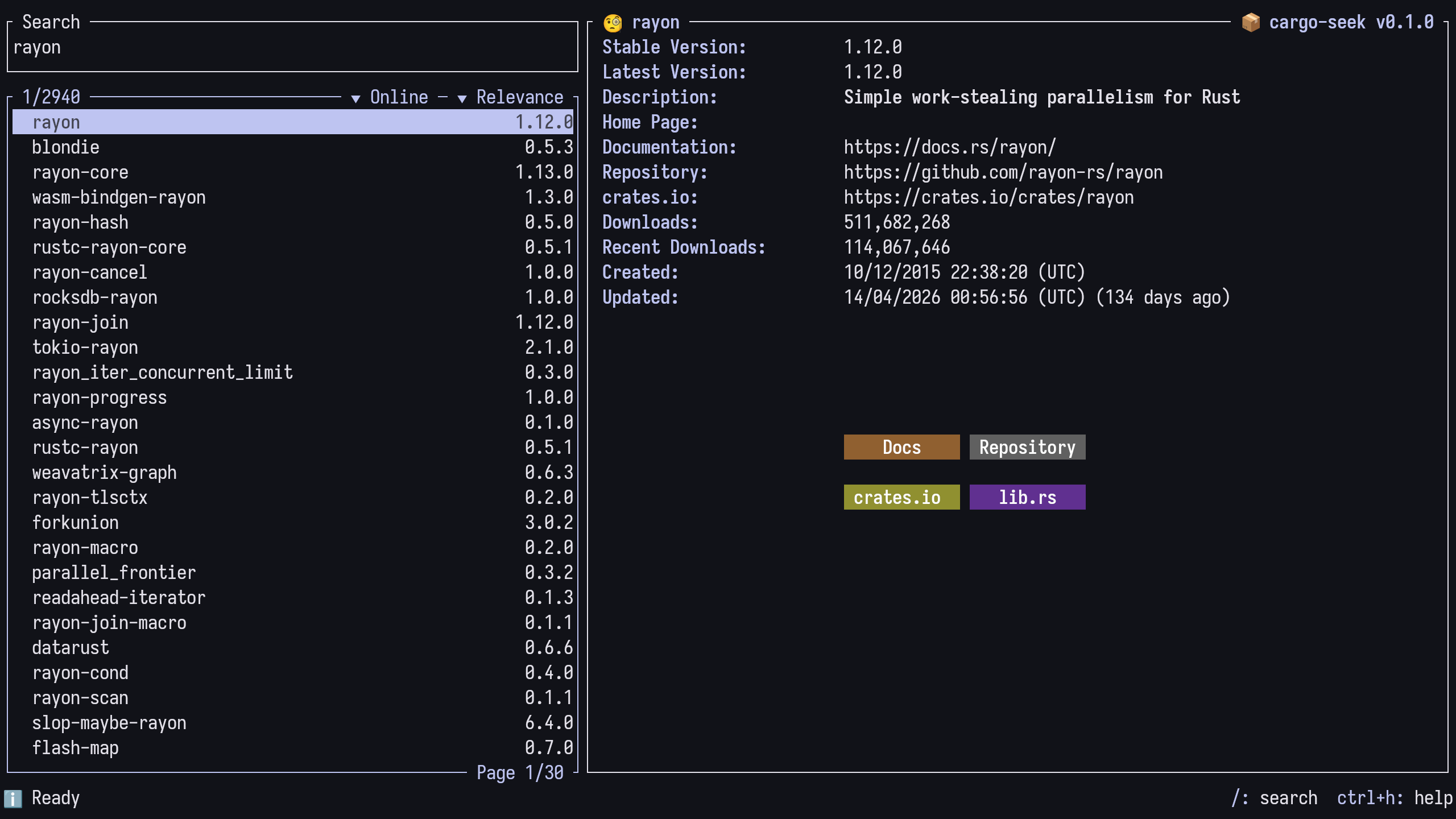
Is a pretty TUI wrapping all three of these commands, which you can install using Cargo's binary installer command, cargo install.
In this case, run cargo install cargo-seek and after compilation, the cargo-seek binary will be added to the .cargo/bin directory, which you should make sure is in your $PATH.
CLIPPY
Checks a package to catch common mistakes and improve your Rust code.
$ cargo clippy
    Checking prelude v0.1.0 (/home/oatman/projects/prelude)
error: used `unwrap()` on a `Result` value
  src/main.rs:2:19
  |
2 |     assert_eq!(1, "1".parse().unwrap());
  |                   ^^^^^^^^^^^^^^^^^^^^
  |
  = note: if this value is an `Err`, it will panic
  = help: for further information visit rust-lang.github.io/rust-clippy/master/index.html#unwrap_used
Rust comes included with all the batteries you need to get up and running, including the most comprehensive linter and code checker you will have ever used, called clippy.
Out of the box, it's fine, but you can give it TEETH.
CLIPPY CONFIG
Add these to your Cargo.toml:
[lints.clippy]
pedantic = { level = "deny", priority = -1 }   # UM, ACTUALLY
nursery = { level = "deny", priority = -1 }    # BETA LINTS
# DENY PANICS
unwrap_used = "deny"
expect_used = "deny"
indexing_slicing = "deny"
arithmetic_side_effects = "deny"
unreachable = "deny"
unimplemented = "deny"
unchecked_time_subtraction = "deny"
todo = "deny"
string_slice = "deny"
panic_in_result_fn = "deny"
panic = "deny"
exit = "deny"
as_conversions = "deny"
and these in your clippy.toml:
allow-unwrap-in-tests = true
allow-expect-in-tests = true
allow-panic-in-tests = true
allow-indexing-slicing-in-tests = true
Find them at: namtao.org/rust
Here is my clippy config, which I recommend using by default in every project. The groups pedantic and nursery will teach you good rust patterns, and the rest of the lints stop you writing code that can crash.
To allow for fast prototyping where it should be - in tests - allow panicking there with these clippy overrides.
For more details, and a rationale for this unhinged pedantry, see my dedicated video, Rust: Don't Panic.
BACON
watches your project and runs jobs in background
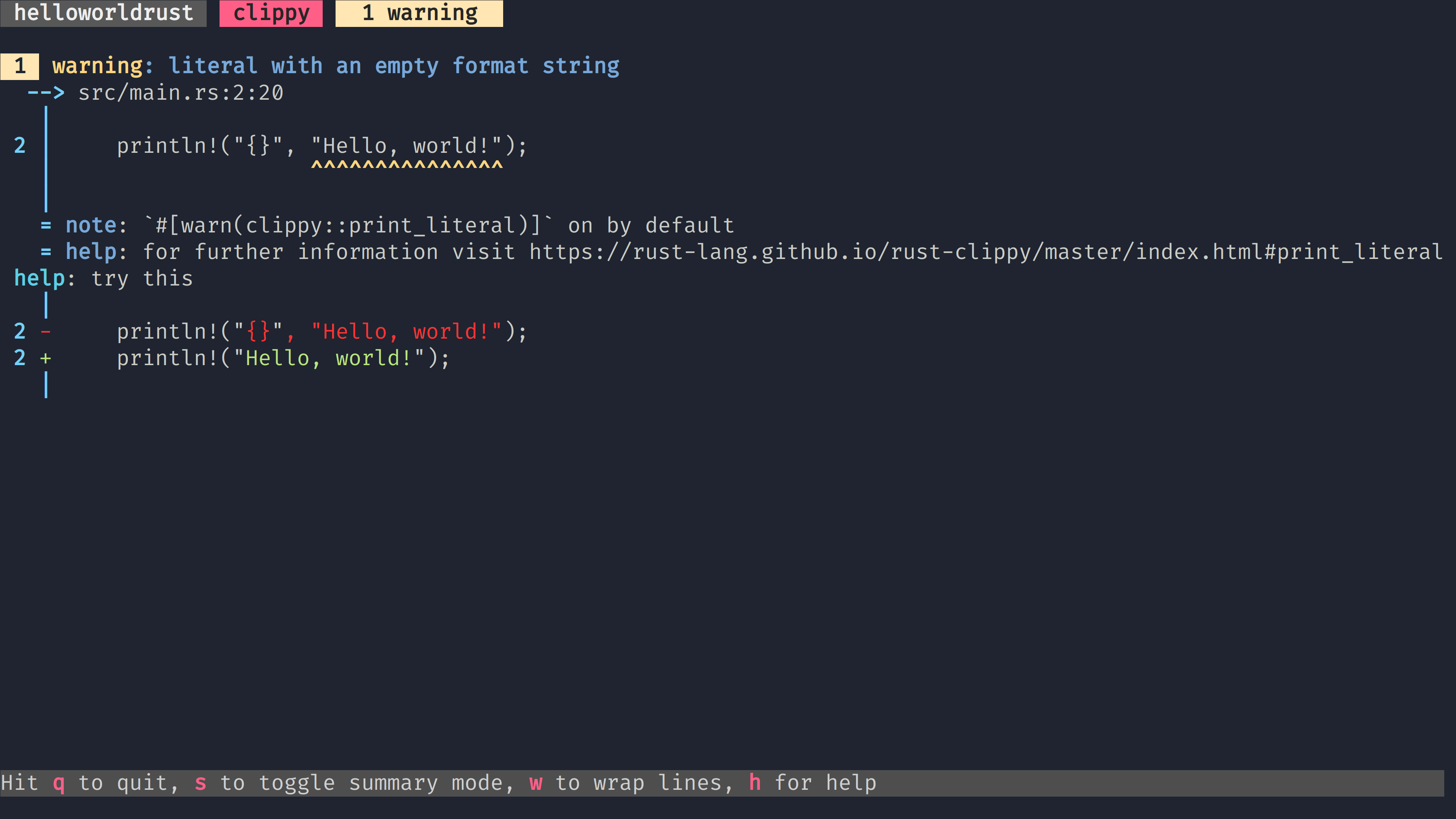
In addition to setting up your editor with the LSP server that comes with rustup, Rust Analyzer, I recommend running bacon clippy in a terminal, watching the excellent output and following its advice.
Remember, that the first error in your file is not always the one to fix - the first error in the COMPILER output usually is.
CARGO-NEXTEST
next-generation test runner
$ cargo nextest run

 Nextest run ID 1f79aa0d-4ec8-4a5c-aa83-5e8dc2f36573 with nextest profile: default
    Starting 14 tests across 3 binaries (177 tests skipped)
        PASS [   0.005s] nextest-runner reporter::tests::no_capture_settings
        PASS [   0.004s] nextest-runner reporter::tests::test_final_warnings
        PASS [   0.004s] nextest-runner reporter::tests::test_progress_bar_prefix
        PASS [   0.010s] nextest-runner reporter::tests::on_test_finished_store_final_3
        PASS [   0.011s] nextest-runner reporter::tests::on_test_finished_store_final_2
        PASS [   0.011s] nextest-runner reporter::tests::on_test_finished_store_final_1
        PASS [   0.011s] nextest-runner reporter::tests::on_test_finished_with_interrupt
        PASS [   0.013s] nextest-runner reporter::tests::on_test_finished_dont_show_immediate
        PASS [   0.013s] nextest-runner reporter::tests::on_test_finished_show_immediate
        PASS [   0.012s] nextest-runner reporter::tests::on_test_finished_write_status_line
        PASS [   0.014s] nextest-runner reporter::tests::on_test_finished_dont_store_final
        PASS [   0.014s] nextest-runner reporter::tests::test_write_skip_counts
        PASS [   0.018s] nextest-runner reporter::tests::on_test_finished_dont_write_status_line
        PASS [   0.019s] nextest-runner reporter::tests::on_test_finished_store_final_4
     Summary [   0.021s] 14 tests run: 14 passed, 177 skipped
Though you can test your code with cargo test and doctests with cargo test --doc, and benchmark it all with cargo bench, your testing will be much more powerful and, almost as important, PRETTIER with nextest.
Nextest allows you to:
- Detect and handle slow tests
- Automatically retry some tests,
- mark them as heavy,
- run them serially
- Record every test run.
- Replay CI runs locally.
- Rerun failing tests.
- Collect test coverage.
- Do mutation testing.
- Spin up debuggers.
- Observe system behaviour with DTrace and bpftrace probes.
And it does all this up to 3x faster than cargo test.
PRETTY GOOD, RIGHT?
CARGO-GENERATE
cargo, make me a project
$ cargo generate leptos-rs/start-trunk
🤷   Project Name: generate-demo
🔧   Generating template ...
✔ 🤷   Use stable or nightly channel? · nightly
✔ 🤷   Generate default VS Code settings? · false
[  1/19]   Done: .gitignore
[  2/19]   Done: Cargo.toml
[  3/19]   Done: README
[  5/19]   Done: index.html
[  9/19]   Done: rust-toolchain.toml
[ 15/19]   Done: src/pages/home.rs
[ 17/19]   Done: src/pages/not_found.rs
🔧   Moving generated files into: `~/projects/generate-demo`...
🔧   Initializing a fresh Git repository
✨   Done! New project created ~/projects/generate-demo
cd ~/projects/
echo "$ tree generate-demo"
exa -T generate-demo
Cargo generate allows you to specify internet-accessible templates to quickly scaffold larger frameworks such as a web app, the example here is from leptos. More on THAT crate later.
WATCHEXEC
execute commands in response to file modifications
$ watchexec "cargo clippy && cargo test && cargo run"
[Running: cargo clippy && cargo test && cargo run]
    Checking prelude v0.1.0 (/home/oatman/projects/prelude)
    Finished `dev` profile [unoptimized + debuginfo] target(s) in 0.05s
   Compiling prelude v0.1.0 (/home/oatman/projects/prelude)
    Finished `test` profile [unoptimized + debuginfo] target(s) in 0.10s
     Running unittests src/main.rs

running 1 test
test tests::tst ... ok

test result: ok. 1 passed; 0 failed; 0 ignored; 0 measured; 0 filtered out; finished in 0.00s

   Compiling prelude v0.1.0 (~/oatman/projects/prelude)
    Finished `dev` profile [unoptimized + debuginfo] target(s) in 0.06s
     Running `target/debug/prelude`
Hello, world!
[Command was successful]
Evolved from the old staple of cargo-watch, this rewrite watches a directory of optionally-filtered files and triggers any chain of commands you like, not just cargo ones.
I keep it around for chaining cargo clippy, cargo test, and cargo run into a pipeline that kicks off whenever I save.
NEOVIM
There are many editors, but this one is mine
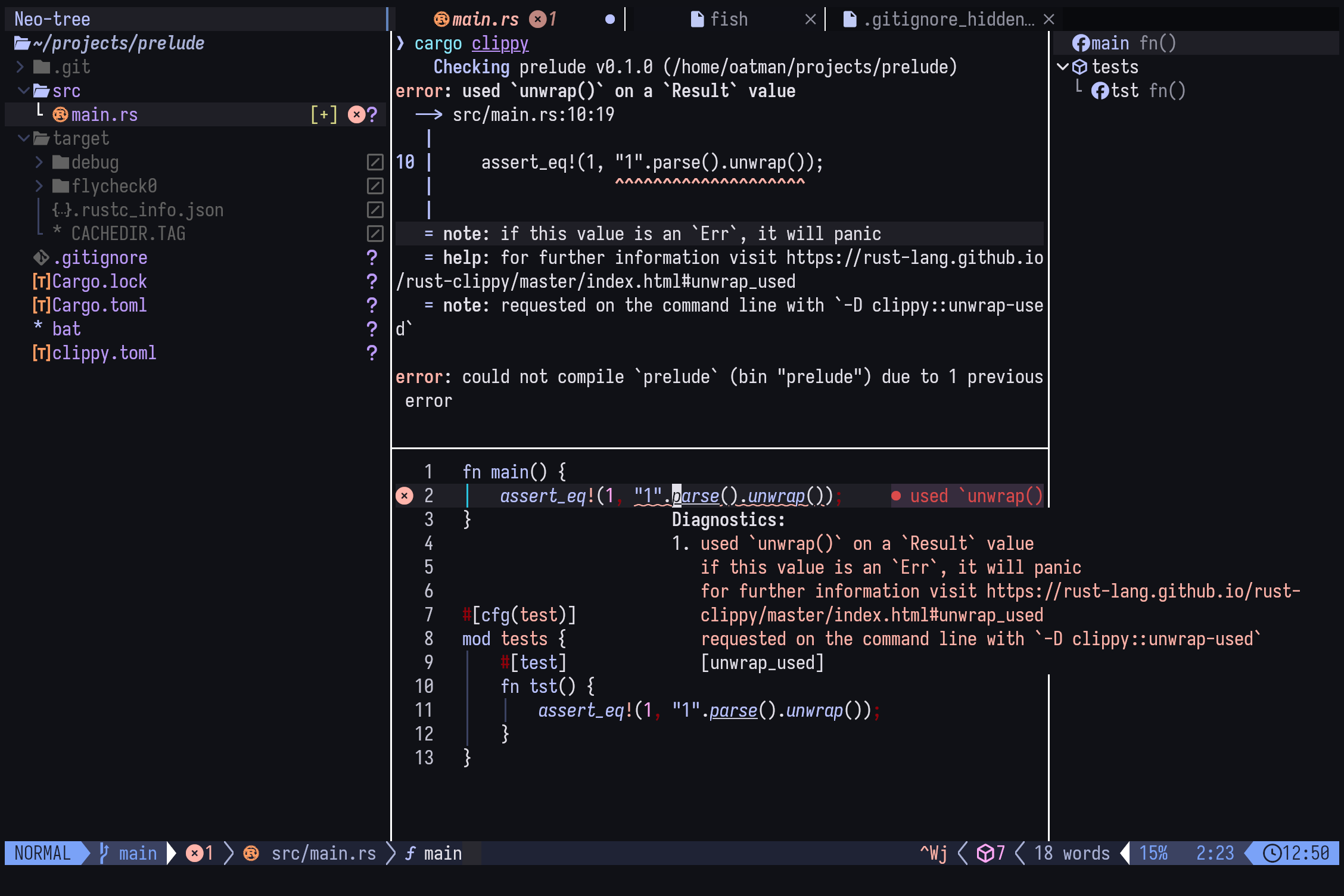
- My preferred config is the excellent:
lazyvim.org - Bread on Penguins from scratch guide:
youtube.com/watch?v=zkOEdhfwXok
There are many editors, but this one is mine.
Neovim is the fastest editor out there, and I love the feeling of near-infinite bandwidth between my brain and my code.
Neovim has built in LSP and nearly everything you might want, but it requires configuring.
While you may watch this video from Bread on Penguins on how to do it from scratch, a fun weekend project, I need sensible defaults that work out of the box - and that is Lazyvim.
Clone, and run Neovim, and everything works with no configuration.
See my video "Writing At The Speed of Thought" for details on WHY you should learn vim keybindings.
- Good options I also have installed are:
- Helix
- Vscode
- Zed
ALL with vim keybindings.
PART 2: MY STANDARD LIBRARY
Rust has a very rich standard library providing functions and types for high and low level applications - SOME might say it has TOO many string types - but we can augment this with some crates that are so ubiquitous and mature that they have become my own personal standard library.
COLOR-EYRE
error report handler for panics and eyre::Reports for colorful, consistent, and well formatted error reports
use eyre::Result;

fn get_cluster_info() -> Result<ClusterMap> {
    let config = std::fs::read_to_string("cluster.json")?;
    let map: ClusterMap = serde_json::from_str(&config)?;
    Ok(map)
}
Honourable mentions:
rootcausealternative with ergonomic error tree annotationsthiserrorgreat ergonomics for building errors, useful in libraries
Rust handles errors in such a sensible way that it FINALLY allows senior developers to sleep at night.
The Result type is used in any fallible function, so you always know what you are going to get, and there are no exceptions to the type system like 'null'.
(See my video "rust on rails" for more details there)
But specifying all the kinds of errors a function can return gets old fast, and so the community standardised on the anyhow crate. My favourite fork of which is, eyre, and specifically color-eyre, which allows for beautiful as well as ergonomic error handling.
ITERTOOLS
Extra iterator adaptors, iterator methods, free functions, and macro
use itertools::Itertools;

let it = (1..3).interleave(vec![-1, -2]);
itertools::assert_equal(it, vec![1, -1, 2, -2]);

for elt in interleave(&[1, 2, 3], &[2, 3, 4]) {
    /* loop body */
    # let _ = elt;
}
the gang's all here:
- all
- any
- assert_equal
- chain
- cloned
- concat
- cons_tuples
- diff_with
- enumerate
- equal
- fold
- interleave
- intersperse
- intersperse_with
- iterate
- join
- kmerge
- kmerge_by
- ...
Ergonomic Rust programs are often built around data that is mutated by iterators in a pipeline.
And like the python library of the same name, itertools contains advanced iterator functions for shuffling, zipping and unzipping and working with higher-dimension iterables.
And remember, this is rust: It all compiles down to for loops and if statements:
It's a zero-cost abstraction, the cost being your sanity!
This is not actually guarenteed by itertools, indeed one of the goals is to add convienience functions missing from the standard library due to the zero-cost requirement
CRITERION
Statistics-driven micro-benchmarking library
use std::hint::black_box;
use criterion::{criterion_group, criterion_main, Criterion};

fn fibonacci(n: u64) -> u64 {
    match n {
        0 => 1,
        1 => 1,
        n => fibonacci(n-1) + fibonacci(n-2),
    }
}

fn criterion_benchmark(c: &mut Criterion) {
    c.bench_function(
        "fib 20",
        |b| b.iter(|| fibonacci(black_box(20))));
}

criterion_group!(benches, criterion_benchmark);
criterion_main!(benches);
$ cargo bench

 Running target/release/deps/example-423eedc43b2b3a93

fib 20                  time:   [26.029 us 26.251 us 26.505 us]

Found 11 outliers among 99 measurements (11.11%)
  6 (6.06%) high mild
  5 (5.05%) high severe
cargo bench, like cargo test has a pluggabe backend, and criterion provides advanced statistics and report generation which even include pretty gnuplot charts.
RAYON
simple work-stealing parallelism for Rust
use rayon::prelude::*;
fn sum_of_squares(input: &[i32]) -> i32 {
    input.par_iter() // <-- just change that!
         .map(|&i| i * i)
         .sum()
}
Rayon is the simplest parallelism library you'll ever use, try it before you reach for heavyweight async frameworks.
for more information see my video async isn't real and can't hurt you
If you build your logic in Rust's lazy iterators, mutated by simple functions, you can make your whole pipeline parallel by changing .iter() to .par_iter().
PART 3: GO-TO CRATES
So, I've shown you my essential standard library of crates that I use in every one of my projects, now here are some rock stars that I use in NEARLY every project.
SERDE
generic serialization/deserialization framework
use serde::{Deserialize, Serialize};

#[derive(Serialize, Deserialize, Debug)]
struct Point {
    x: i32,
    y: i32,
}
fn main() {
    let point = Point { x: 1, y: 2 };
    let serialized = serde_json::to_string(&point).unwrap();
    println!("serialized = {}", serialized);
    let deserialized: Point = serde_json::from_str(&serialized).unwrap();
    // Prints deserialized = Point { x: 1, y: 2 }
    println!("deserialized = {:?}", deserialized);
}
Honourable mention: nanoserde zero-deps derive-based serde for json & toml.
Nearly every application needs to serialise or deserialise data, which in Rust means the serde create. If you're not using it directly, your dependencies certainly are!
JIFF
A date-time library that encourages you to jump into the pit of success.
(the author helpfully clarifies that it's pronounced like "GIF")
use jiff::{Timestamp, ToSpan};

fn main() -> Result<(), jiff::Error> {
    let time: Timestamp = "2024-07-11T01:14:00Z".parse()?;
    let zoned = time.in_tz("America/New_York")?.checked_add(1.month().hours(2))?;
    assert_eq!(zoned.to_string(), "2024-08-10T23:14:00-04:00[America/New_York]");
    // Or, if you want an RFC3339 formatted string:
    assert_eq!(zoned.timestamp().to_string(), "2024-08-11T03:14:00Z");
    Ok(())
}
Honourable mention: chrono, the old master.
Ergonomic time handling. The standard library is fine, but we can do better!
CLAP
A simple to use, efficient, and full-featured Command Line Argument Parser
use clap::Parser;

/// Simple program to greet a person
#[derive(Parser, Debug)]
#[command(version, about, long_about = None)]
struct Args {
    /// Name of the person to greet
    #[arg(short, long)]
    name: String,

    /// Number of times to greet
    #[arg(short, long, default_value_t = 1)]
    count: u8,
}
$ cargo run -- --help

Simple program to greet a person

Usage: demo[EXE] [OPTIONS] --name <NAME>

Options:
  -n, --name <NAME>    Name of the person to greet
  -c, --count <COUNT>  Number of times to greet [default: 1]
  -h, --help           Print help
  -V, --version        Print version
Honourable mention: bpaf, argparsing with clear combainators
Rust's built-in argument parsing is good, but far better is to use the derive feature of clap and organise it all into a neat struct, with parsed data and help documentation derived for you.
Remember, kids, it's argeparse, not argvalidate. Do it once, and, ideally, let clap do it for you.
COMMAND-RUN
a thin wrapper around the
std::process::Commandtype with a few additional convenient features:
let output = Command::with_args("echo", &["hello", "world"])
    .enable_capture()
    .run()?;

assert_eq!(
    output.stdout_string_lossy(),
    "hello world\n"
);
Rust's built-in command execution library is comprehensive, but a little too low-level for my liking.
The command-run crate is juuuuust right, optionally allowing us to:
- wrap the execution in a result
- combine stderr and stdout
- format the command as a string, not a builder
UTOIPA
Compile time generated OpenAPI documentation for Rust
# //! ```cargo
# //! [dependencies]
//! utoipa = "5"
# //! ```
# use utoipa::{OpenApi, ToSchema};
# mod pet_api {
use utoipa::{OpenApi, ToSchema};

#[derive(ToSchema)]
struct Pet {
    id: u64,
    name: String,
    age: Option<i32>,
}
/// Get pet by id
///
/// Get pet from database by pet id
#[utoipa::path(
    get,
    path = "/pets/{id}",
    responses(
        (status = 200, description = "Pet found", body = Pet),
        (status = NOT_FOUND, description = "Pet was not found")
    ),
    params(("id" = u64, Path, description = "Pet database id"))
)]
async fn get_pet_by_id(pet_id: u64) -> Result<Pet, std::io::ErrorKind> {
    Ok(Pet { id: pet_id, age: None, name: "rex".to_string() })
}
# }
{
  "openapi": "3.1.0",
  "info": {
    "title": "snippet_92e689746f8f71cadd94605f",
    "description": "",
    "contact": {
      "name": "Anonymous"
    },
    "license": {
      "name": ""
    },
    "version": "0.1.0"
  },
  "paths": {
    "/pets/{id}": {
      "get": {
        "tags": ["pet_api"],
        "summary": "Get pet by id",
        "description": "Get pet from database by pet id",
        "operationId": "get_pet_by_id",
        "parameters": [
          {
            "name": "id",
            "in": "path",
            "description": "Pet database id",
            "required": true,
            "schema": {
              "type": "integer",
              "format": "int64",
              "minimum": 0
            }
          }
        ],
...
Continuing the bad spelling of crates like reqwest, utoipa allows any popular backend Rust web framework from axum to rocket, to become a self-documenting statically-typed REST API.
REQWEST
higher level HTTP client library
use std::collections::HashMap;

#[tokio::main]
async fn main() -> Result<(), Box<dyn std::error::Error>> {
    let resp = reqwest::get("https://httpbin.org/ip")
        .await?
        .json::<HashMap<String, String>>()
        .await?;
    println!("{resp:#?}");
    Ok(())
}
SPEAKING OF REQWEST!
Yes, it's spelled like that. The authors SAY they chose that spelling because it makes it easier to search for a unique name.
(given the number of furries in our wonderful Rust community, I somewhat doubt that was the ONLY reason...)
Reqwest has both sync and async versions of your favourite HTTP verbs, and operates by default on RUSTLS, the pure rust cryptographic library that can replace OpenSSL.
SQLX
An async, pure Rust SQL crate featuring compile-time checked queries without a DSL.
struct Country {
    country: String,
    count: i64
}

let countries = sqlx::query_as!(
    Country,
    "
    SELECT country, COUNT(*) as count
    FROM users
    GROUP BY country
    WHERE organization = ?
    ",
    organization
).fetch_all(&pool) // -> Vec<Country>
.await?;
Combine utoipa with the compile-time verified queries of SQLX and your business logic is modelled in a single struct, across models, views, and controllers!
Install the sqlx-cli for DB management, migrations, and offline validation.
LEPTOS
full-stack, isomorphic Rust web framework leveraging fine-grained reactivity to build declarative user interfaces
#[component]
pub fn button() -> impl IntoView {
  let (count, set_count) = signal(0);
  view! {
    <button on:click=move |_| {
      set_count.update(|n| *n += 1);
    }>
      "Click me: " {count}
    </button>
  }
}
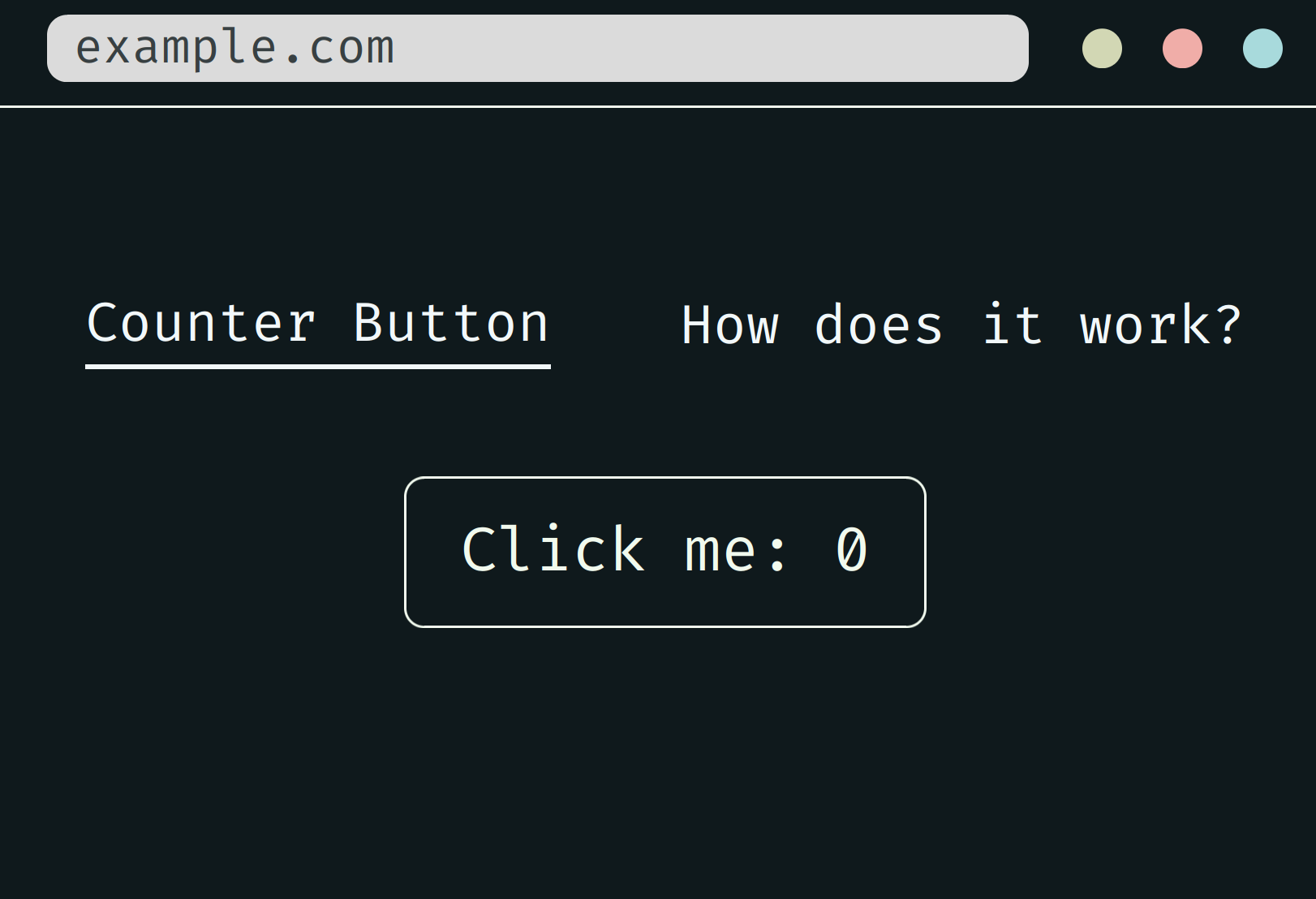
For frontend web I like the extremely comprehensive leptos crate.
Though it also supports server side rendering, and therefore could be used on the backend, the ergonomics break down for me when using that feature.
The trunk utility is the Swiss army knife here, providing hotreloading, auto bundling of CSS and static assets, tailwind integration, and like a billion other features.
You don't have to write React any more!
DIOXUS
Build fullstack web, desktop, and mobile apps with a single codebase; A "better Flutter": faster, slimmer, and web-native.
use dioxus::prelude::*;

fn main() {
    dioxus::launch(app);
}

fn app() -> Element {
    let mut count = use_signal(|| 0);

    rsx! {
        h1 { "High-Five counter: {count}" }
        button { onclick: move |_| count += 1, "Up high!" }
        button { onclick: move |_| count -= 1, "Down low!" }
    }
}
- Apps are declared with standard HTML and CSS
- Reactivity inspired by React and SolidJS and co
- Dioxus code runs natively with no virtual machine, call system APIs with zero overhead
Honourable mention: tauri, lightweight native WebView.
Or React Native, thanks to the Dioxus crate, which bundles up your app into android, iOS, or desktop apps, with batteries include and hot-reloading.
For a lighter option that just replaces Electron, try the Tauri crate, based on native webview.
DEVENV.SH
...have you installed it yet?
Head over to devenv.sh and get cracking!
{
  languages.rust = {
    enable = true;
    channel = "nightly";
    components = [ "rustc" "cargo" "clippy" "rust-analyzer" ];
  };
  packages = with pkgs; [
    bacon
    cargo-seek
    cargo-nextest
    cargo-generate
  ];
  scripts.watcher = {
    exec = ''
        watchexec -c -e rs \
        "cargo clippy && cargo test && cargo run"
    '';
    packages = [ pkgs.watchexec ];
  };
  env.LD_LIBRARY_PATH = lib.makeLibraryPath [
    pkgs.zlib
  ];
  env = {
      DATABASE_URL = "postgres://user:pass@localhost/dbname";
  };
  enterShell = ''
    echo "Crates ready to update with 'cargo update'":
    cargo update -n
  '';
  git-hooks.hooks = {
    clippy.enable = true;
  };
}