Oxidise your cli 2025
OXIDISE YOUR COMMAND LINE
2025 EDITION
It's been a little over 2 years since my last Oxidise your Command Line video, and it's about time for an update.
Today I have 30 rust-powered command line tools to show you that have replaced and extended my old standards, in addition to a few non-standard ones that I didn't know I needed.
Public Domain Videos

www.namtao.orggithub.com/NamtaoProductions/namtao.org

I dedicate my video scripts to the public domain.
Everything you see here: script, links, and images are part of a Markdown document available freely at my website and on GitHub at the above address.
OUT WITH THE OLD
IN WITH THE NEW
PART 1:
OUT WITH THE OLD
These are the tools I've replaced with modern, oxidised, versions. Mostly drop-in replacements that do the job harder, better, faster, or stronger than their older counterparts.
We'll start with the very foundation of my daily computing.
UUTILS COREUTILS
All gnu coreutils rewritten in rust
alias ls="coreutils ls"
cd ~/projects/Decapsulate-com/
echo "> coreutils ls"
coreutils ls
All my friends are invited, including:
cat
chown
cp
date
dd
echo
hostname
kill
ls
mv
pwd
rm
whoami
- UUTILS A REPLACEMENT FOR ALL GNU COREUTILS
- If you're on any operating system - INCLUDING WINDOWS - you can grab the binary over at github, or find it packaged for your package manager
- I've installed the nixos
uutils-coreutils-noprefixpackage, which swaps out all my system's coreutils for aliases to uutils' version - And it's all be fine so far!
Fish
A smart and user-friendly command line
shell for Linux, macOS, and the rest of the family
Unhinged statements from the fish team
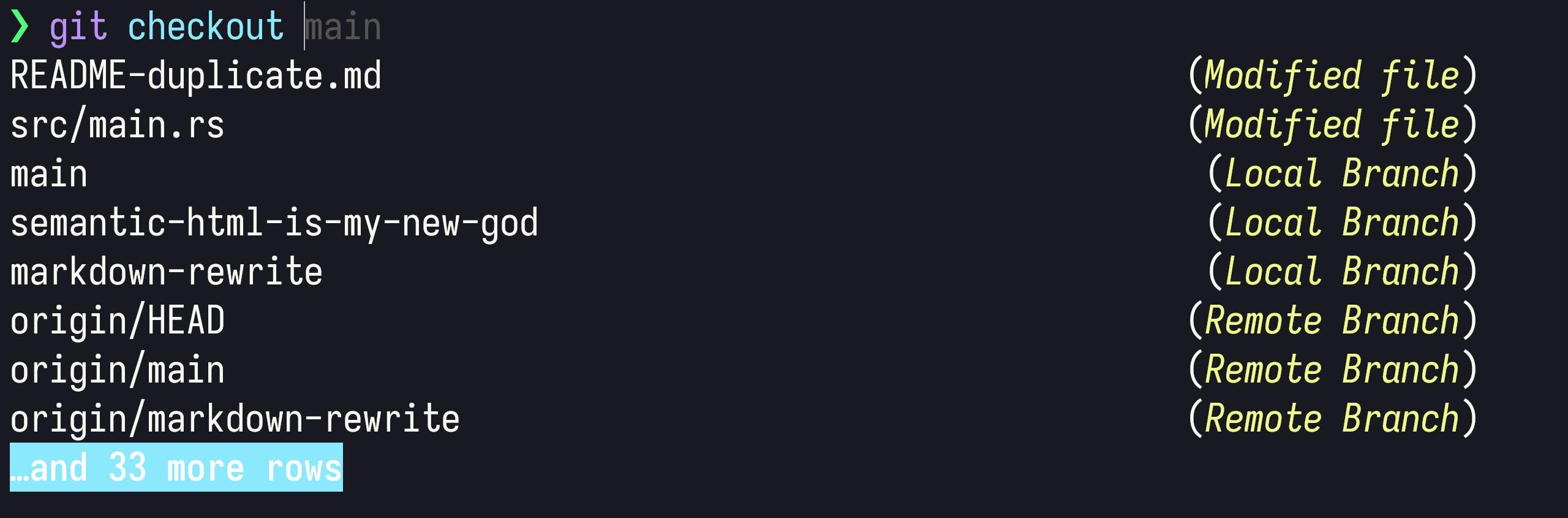
- I am delighted to finally include Fish on this list, because the Rust rewrite finished in February! https://fishshell.com/blog/new-in-40/)
- though a non-standard shell (you wouldn't write shell scripts in it), it's lovely for interactive use
- it's got the following batteries included:
- syntax highlighting everywhere
- 24 bit true colour, the state of the art in terminal technology.
- It suggests commands as you type based on history and completions, just like a web browser.
- and it even has web-based configuration, set your colors and view functions, variables, and history all from a web page, if you want.
- I love fish because I install, and everything is right out of the box
- The way I think about shells is that zsh is bash with plugins, and fish is zsh with plugins.
Nushell
A new type of
shell
cd ~/projects/Decapsulate-com/
echo "> unam   # typo!"
nu -c unam
echo "> uname"
nu -c uname
- Nushell is a pure rust radical take on what a shell can do
- It does this by breaking from the unix standard of plain text being the common data format, into a more programming-inspired world of structured data.
- ONE day I will be powerful enough to wield nu, but until then, I keep coming back to fish
Ripgrep
Recursively searches for a regex while respecting your
.gitignore
cd ~/projects/Decapsulate-com/
echo "> rg --type=rust fn"
echo ""
rg --type=rust --color=always fn
- the first rust program I ever knowingly used, I think!
- the fastest grepper in town
- has smart defaults that ignore many files we aren't usually concerned with, even reading the .gitignore file to do so
Fd
A simple, fast and user-friendly alternative to
find
cd ~/projects/Decapsulate-com/
echo "> fd .rs"
echo ""
fd .rs --color=always

echo ""
echo "> fd -e .rs -x wc"
echo ""
fd -e .rs -x wc
- fd is a fast, pretty, drop-in replacement for find, with a much more modern ux, and pretty colours
BAT
The
catwith wings!
cd ~/projects/Decapsulate-com/
echo "> bat  --line-range 0:4 Cargo.toml"
echo ""
bat --color always --line-range 0:4 Cargo.toml
- the cat with wings!
- beautiful syntax highlighting of basically every file type
- it's safe to replace cat with it, because if bat detects it is being used non-interactively, like in a pipe, it falls back to standard plain text behaviour
EZA
A modern replacement for
ls
cd ~/projects/Decapsulate-com/
echo "> eza -l --icons --time-style=long-iso --group-directories-first"
echo ""
eza --time-style=long-iso --group-directories-first --icons -l --color=always
- Alias
ls=ezaand you get a drop-in replacement that supports colours and git status - fork of exa, which stopped being developed in 2021
ZOXIDE
A smarter
cdcommand for your terminal
Config:
zoxide init fish | source
Usage:
echo "> pwd"
echo "/home/tris"
echo ""
echo "> cd lua"
echo "> pwd"
echo ".config/nvim/lua"
- Add it to your shell config (this is fish, all other shells work, too)
- Then start jumping to previously used folders by relative path:
- Zoxide knows where you've been, so instead of typing
cd .config/nvim/lua/you can just typecd luafrom anywhere, and it'll usually do what you want!
XH
Friendly and fast tool for sending HTTP requests. (inspired by
httpie)
❯ xh httpbin.org/get --pretty=all

HTTP/1.1 200 OK
Access-Control-Allow-Credentials: true
Access-Control-Allow-Origin: *
Connection: keep-alive
Content-Length: 304
Content-Type: application/json
Date: Tue, 20 May 2025 16:58:07 GMT
Server: gunicorn/19.9.0

{
    "args": {},
    "headers": {
        "Accept": "*/*",
        "Accept-Encoding": "gzip, deflate, br, zstd",
        "Host": "httpbin.org",
        "User-Agent": "xh/0.23.0",
        "X-Amzn-Trace-Id": "Root=1-682c000-000353e7ba7ff5090000"
    },
    "origin": "1.2.3.4",
    "url": "http://httpbin.org/get"
}
- A simpler interface than curl
- with pretty-printed output
- a rust rewrite of the excellent httpie, which I used for years in my Python era
ZELLIJ
A terminal workspace with batteries included. (
tmuxalternative)
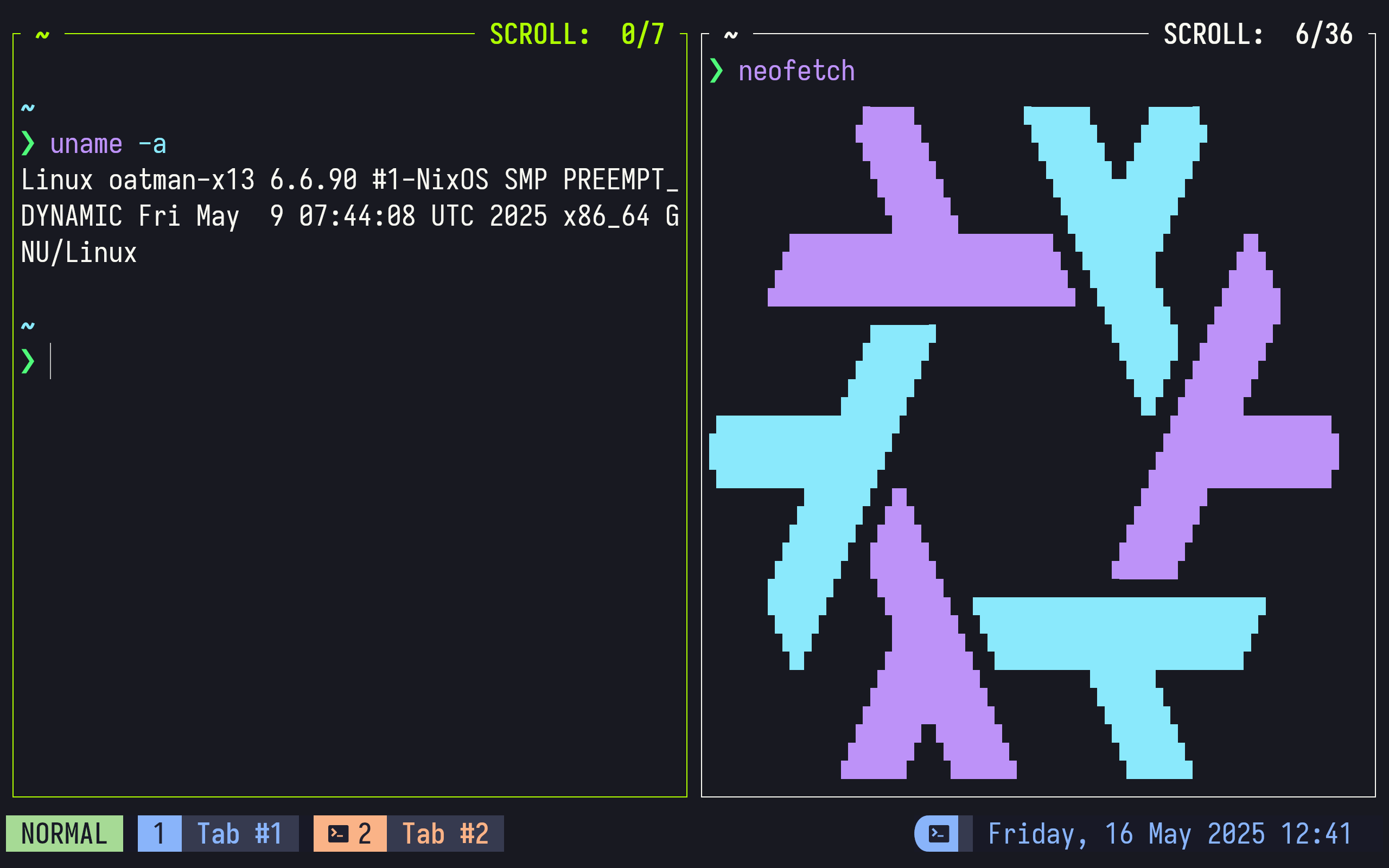
- tmux/screen replacement
- great defaults, great UI, great plugin community
GITUI
blazing fast terminal-ui for
git
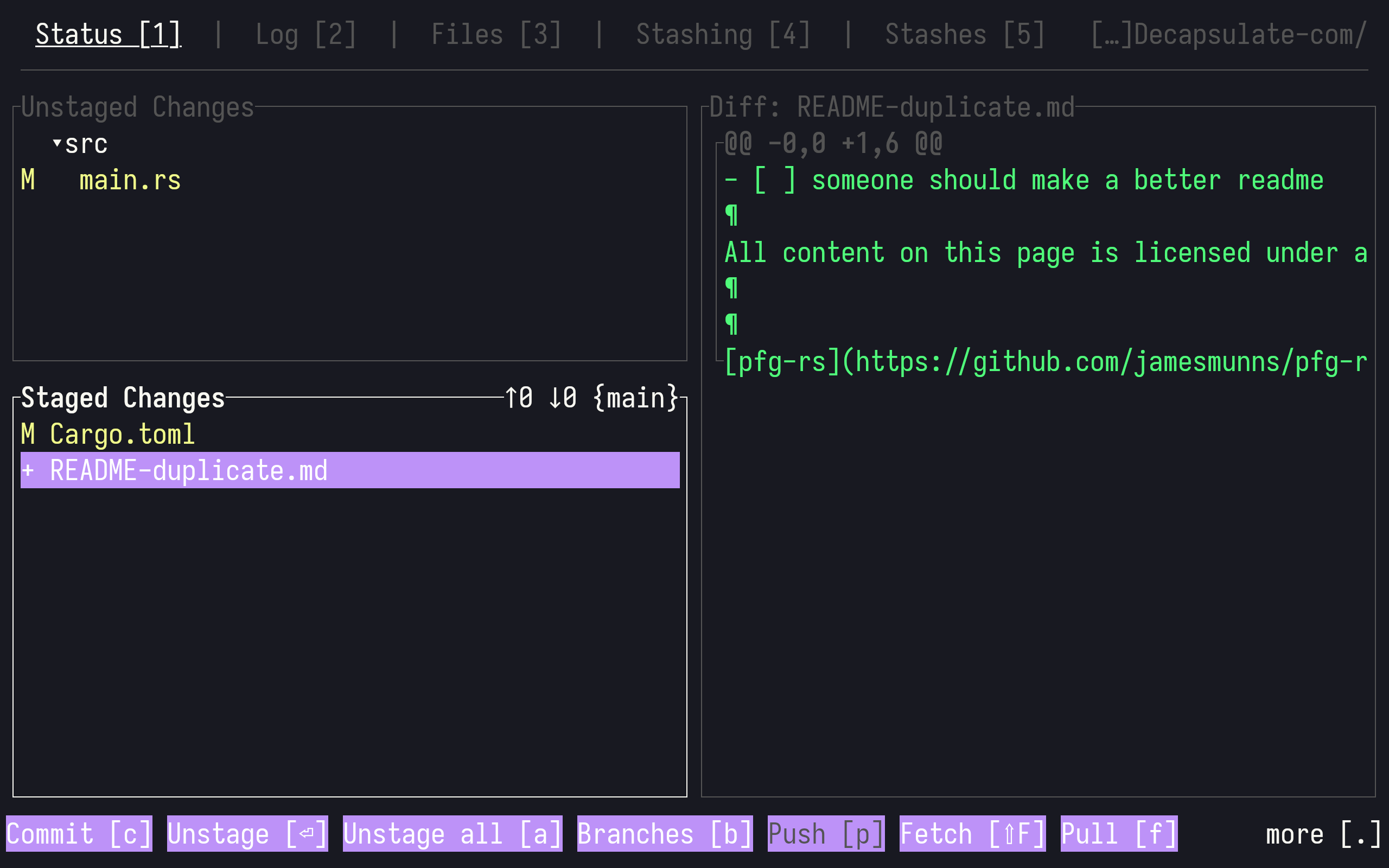
- It's a great UI for when you want to do lots of small operations, and don't want to repeat yourself using the regular git command
- It seems to me like nice rust port of lazygit (go), which is also a great option
DU-DUST
A more intuitive version of
du
cd ~/projects/Decapsulate-com/
echo "> dust"
echo ""
dust -Cin 9
- A graphical disk usage analyser with a pretty UI
- On my machine, 600GB analysed in 2 seconds, compared to 30 for du
DUA
a linux console application to display what uses the most space in the specified directories.
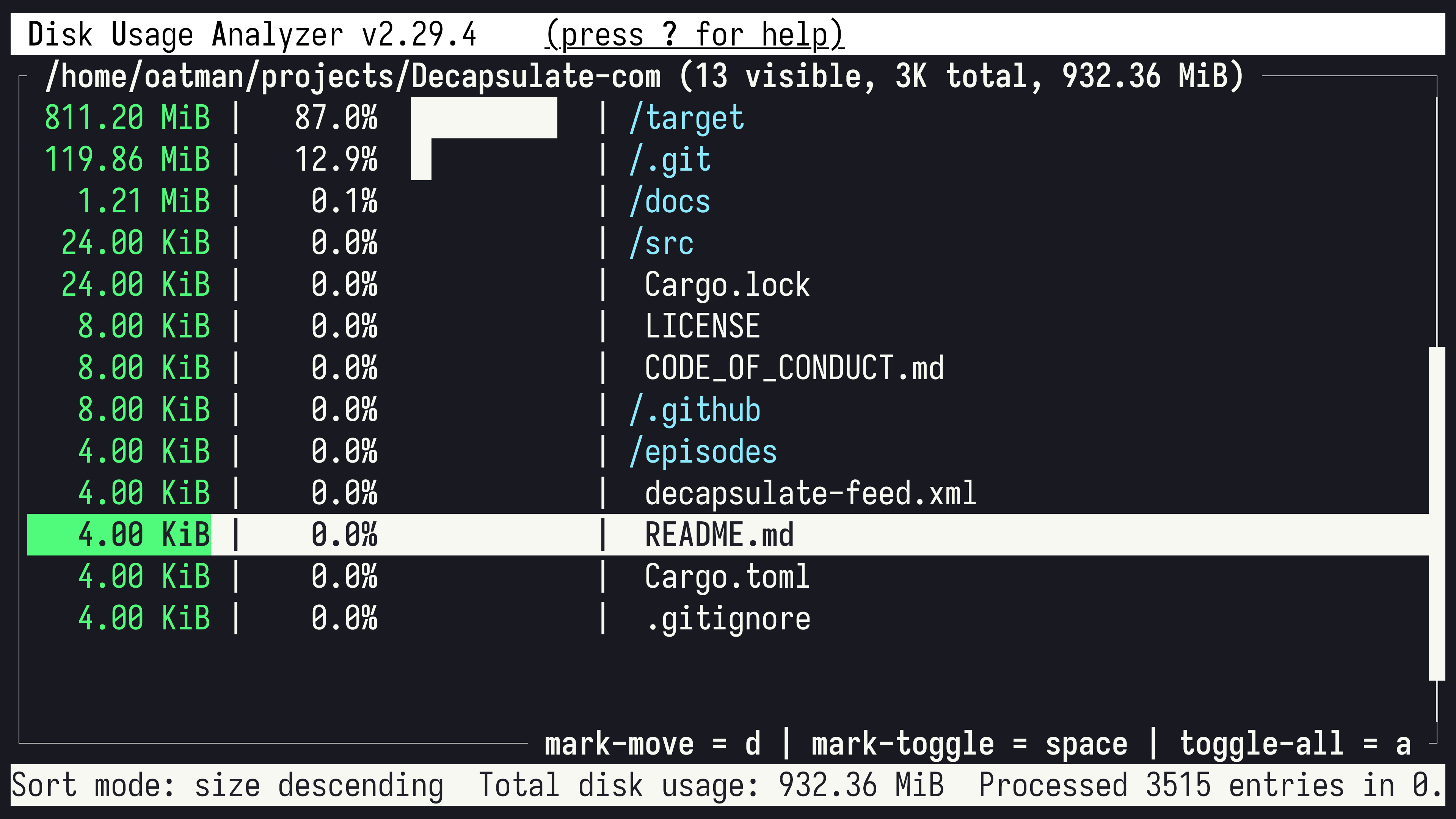
- Another graphical disk usage analyser, but this one is INTERACTIVE
- It's just as fast as du-dust
PART 2:
IN WITH THE NEW
Though you might not have an existing app to replace, I recommend the following tools to anyone because they're COOL, and they'll make your life more joyful!
STARSHIP.RS
The minimal, blazing-fast, and infinitely customizable prompt for any
shell
cd ~/projects/Decapsulate-com/
starship prompt
echo "# COOL PROMPT DUDE!"
Starship supports:
AWS
Azure
Battery
Buf
Bun
C
CPP
Character
CMake
COBOL / GNUCOBOL
Command Duration
Conda
Container
Crystal
Daml
Dart
Deno
Directory
Direnv
Docker Context
Dotnet
Elixir
Elm
Environment Variable
Erlang
Fennel
Fill
Fossil Branch
Fossil Metrics
Google Cloud (gcloud)
Git Branch
Git Commit
Git State
Git Metrics
Git Status
Gleam
Go
Guix-shell
Gradle
Haskell
Haxe
Helm
Hostname
Java
Jobs
Julia
Kotlin
Kubernetes
Line Break
Local IP
Lua
Memory Usage
Meson
Mercurial Branch
Mise
Mojo
NATS
Network Namespace
Nim
Nix-shell
Node.js
OCaml
Odin
Open Policy Agent
OpenStack
OS
Package Version
Perl
PHP
Pijul Channel
Pixi
Pulumi
PureScript
Python
Quarto
R
Raku
Red
Ruby
Rust
Scala
Shell
SHLVL
Singularity
Solidity
Spack
Status
Sudo
Swift
Terraform
Time
Typst
Username
Vagrant
V
VCSH
Zig
Tag yourself!
- Because the programs used to generate your shell prompt will be executed all the time when using the terminal, you NEED them to be FAST.
- What starship does is straight-up not possible in slower languages. Not with acceptable latency, anyway.
YAZI
Yazi File Manager
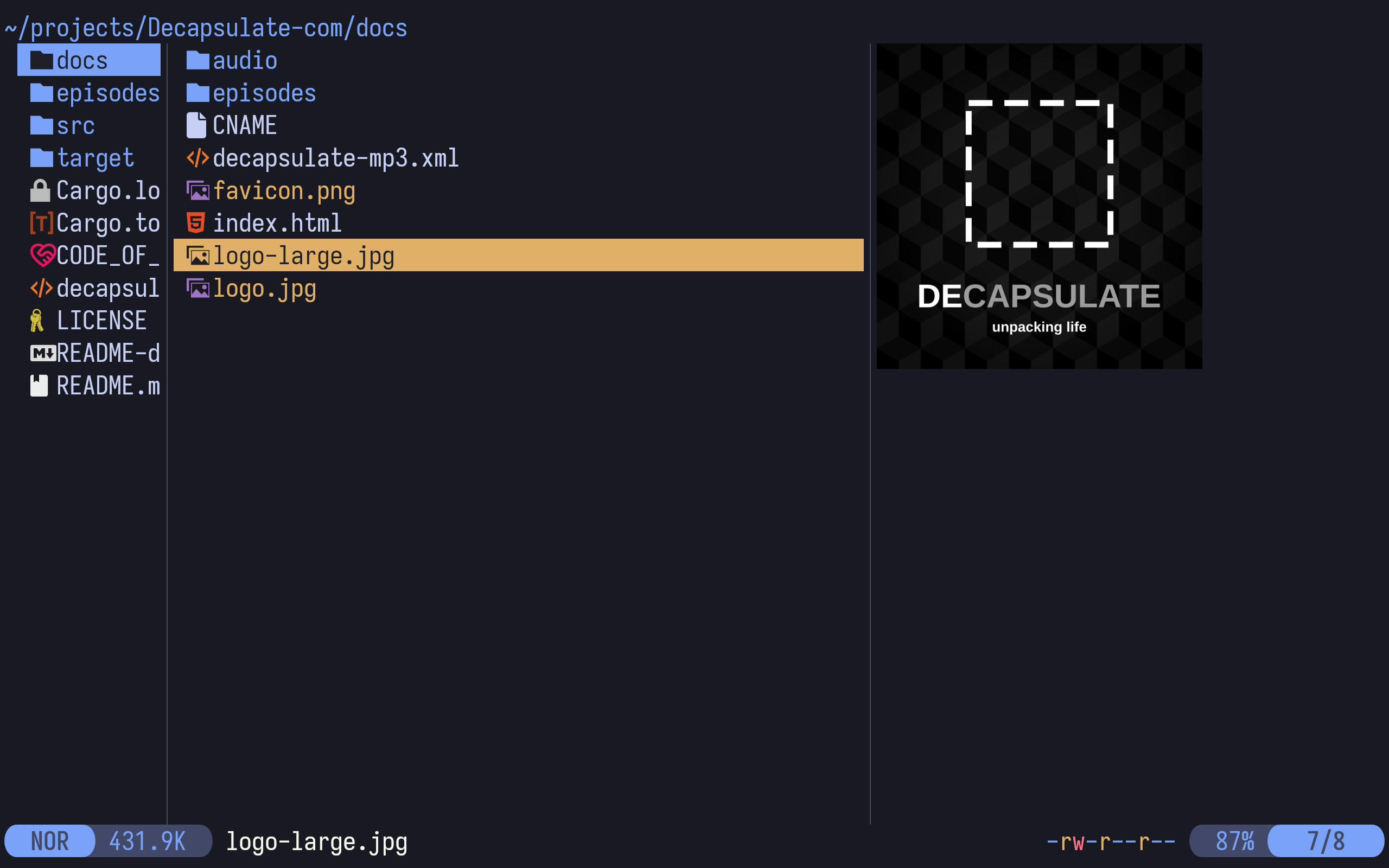
- a command-line file manager, like the venerable Ranger
- it's fast, backgrounds long operations (like copying large files)
- it's got vim bindings!
- and FILE PREVIEW for images, pdfs, and many more (if used with modern terminals like kitty or ghostty, or fairly modern terminals like alacritty or wez)
HYPERFINE
A command-line benchmarking tool
cd ~/projects/Decapsulate-com/
echo '> hyperfine "cargo build"'
echo ""
hyperfine --warmup=1 -r 3 --style=color "cargo build"
- It's a very clever benchmarking tool, built by people who understand statistics
- it runs the benched command a sensible number of times to eliminate run-to-run variance, with an initial discarded run to warm up any caches
- Friend of the channel,
fasterthanlimelived up to their name when they recommended this to me
EVIL-HELIX
Bringing the Helix editor to the e
vil side
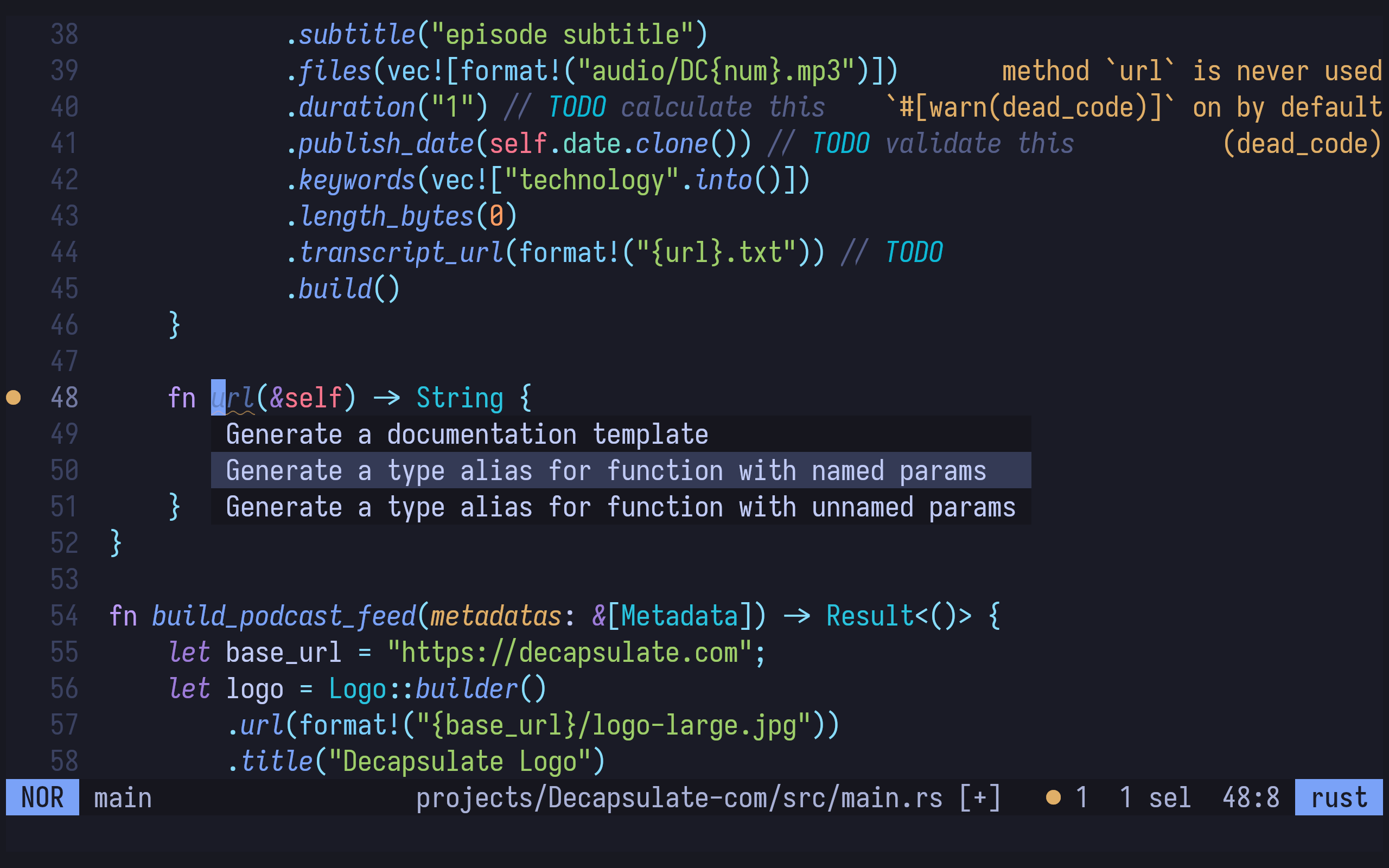
Rust lsp auto-configured, lsp code action triggered, tokyonight theme
demo
- The normal version of helix is a batteries-included text editor in a single binary
- It's got built-in LSP, tree-sitter syntax highlighting, fuzzy finder, and beautiful themes.
- it's a modal editor like vim, but its motions are kindof backwards compared to what we're used to, specifically it uses the selection->action model, so it's word delete, rather than delete word.
- I agree that vim has the motions backwards, if you think about it: all of my programs have vim bindings, such as my video editor and browser, so for me, practicality beats purity.
- Evil helix a fork of helix mostly putting the keyboard bindings back to the standard vim way
- I keep it around for when I break my neovim config...
BACON
Background rust compiler
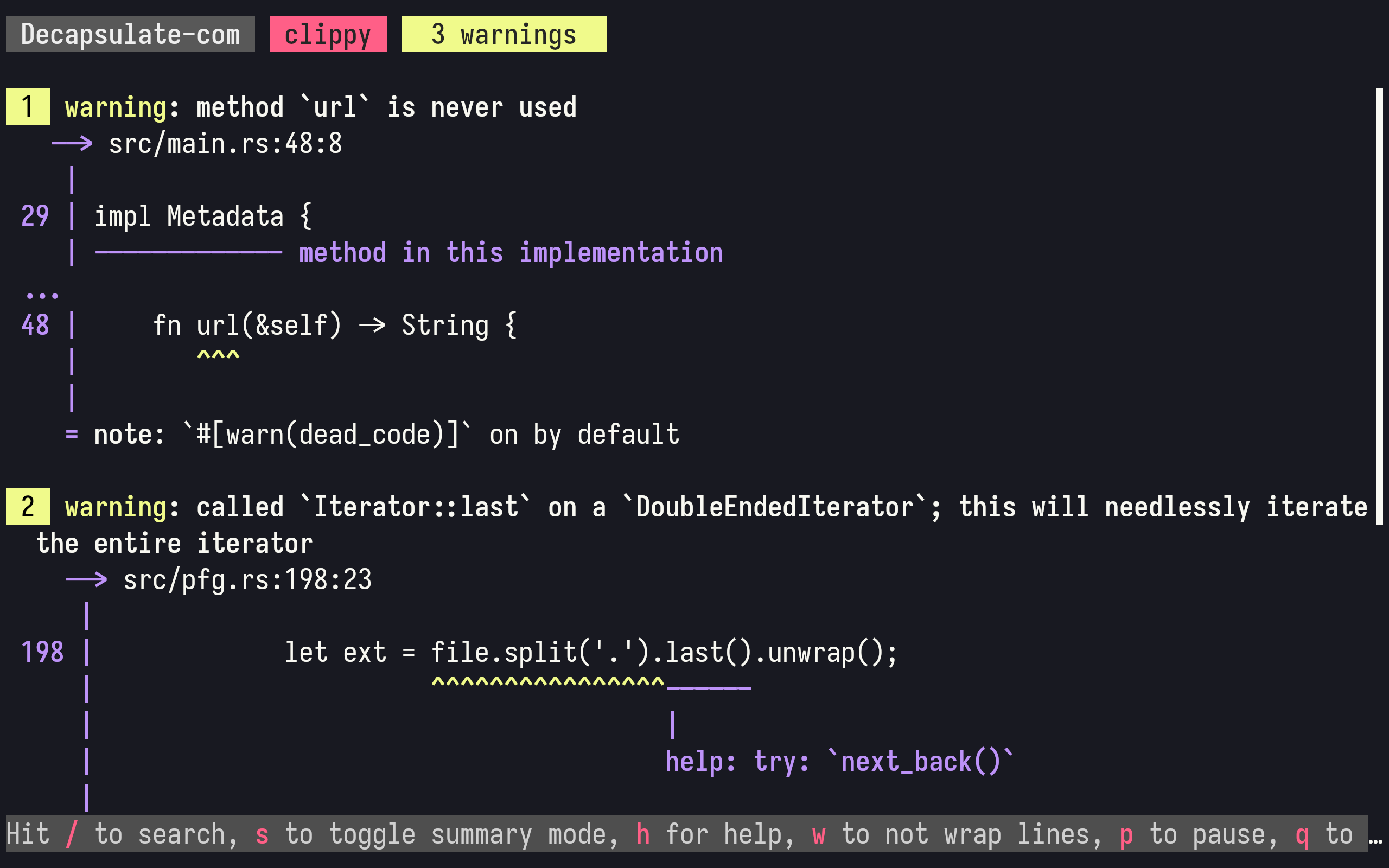
- Bacon is an essential part of my rust toolchain, and has been for years.
- It watches files for changes, then re-runs the requested cargo command, such as test or clippy
- Though your editor hopefully will be using LSP or similar to get compiler warnings and errors, I find the rust compiler output very complementary, and sometimes better, than the editor's output.
- I recommend keeping
bacon clippyrunning in a little window, whenever you write Rust.
CARGO-INFO
Extends cargo to query crates.io registry for crates details
echo "> cargo info rayon"
echo ""
cargo info rayon --color=always
- I spend my whole life trying to avoid opening a web browser, and cargo-info helps me in this Sisyphean endeavour!
- Supply it with the name of a crate, like
rayon, here, and you get a description and some metadata to help you decide if you're going tocargo addit to your project!
FSELECT
Find files with SQL-like queries
> fselect
    SELECT name, created
    FROM . MAXDEPTH 1
    WHERE is_dir==false
    ORDER BY created
cd ~/projects/Decapsulate-com/
echo '> fselect "SELECT name, created FROM . MAXDEPTH 1 where is_dir==false ORDER BY created"'
echo ""
fselect "SELECT name, created FROM . MAXDEPTH 1 where is_dir==false ORDER BY created" | column -t
- I don't know about you, but I can't remember all of the unusual or advanced find parameters, I have to look them up every time.
- But you know what I can remember? SQL syntax.
- If you're anything like me, fselect might be handy!
NCSPOT
ncurses Spotify client written in Rust using librespot, inspired by ncmpc and the likes
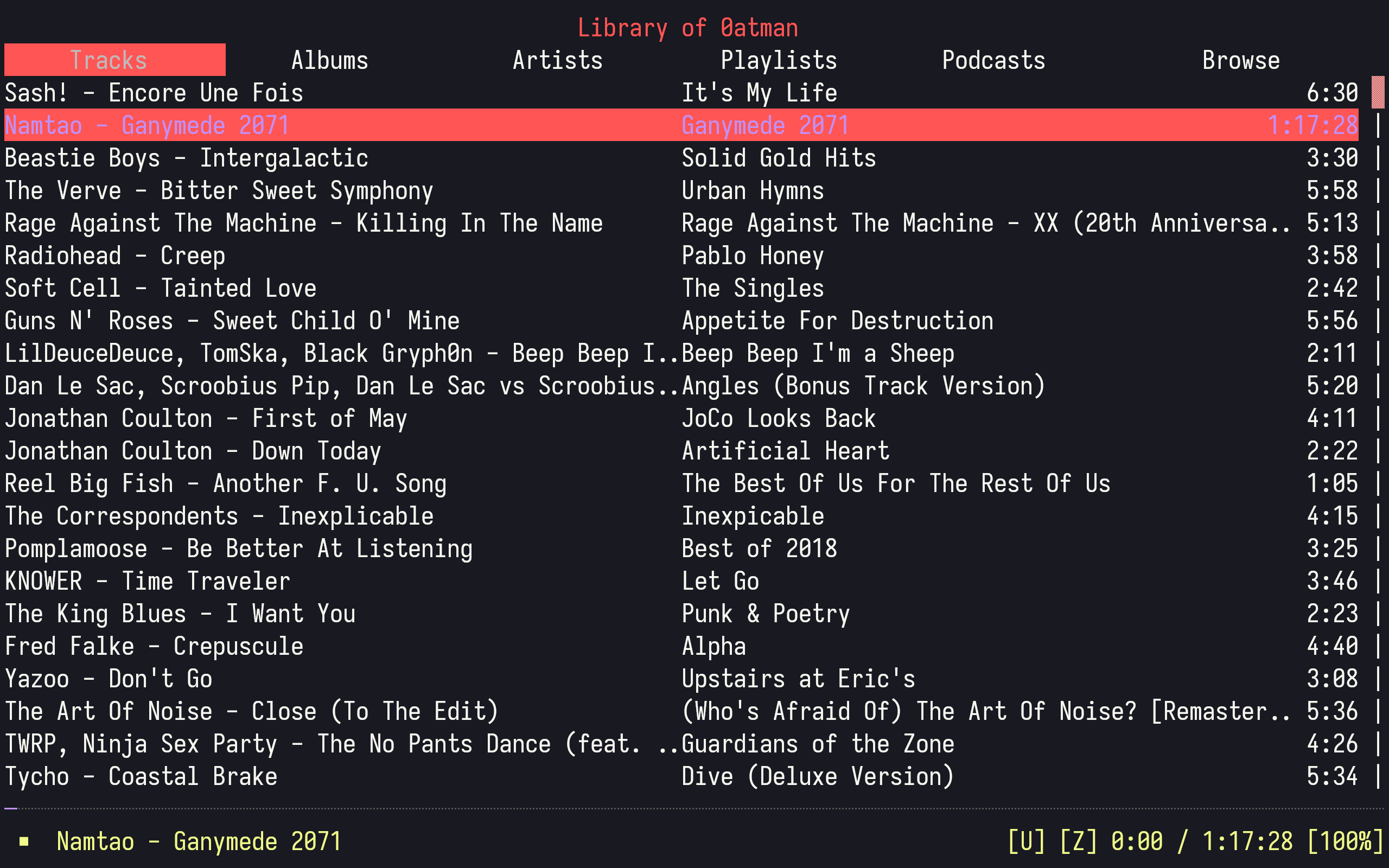
(Listen to GANYMEDE 2071 wherever you get your music and at namtao.bandcamp.com)
- The regular spotify is an electron app that uses hundreds of megabytes of memory, just to play a 3MB track.
- On my machine, ncspot uses 2MB of memory.
- enough said!
RUSTY-MAN
Command-line viewer for rustdoc documentation
echo "> rusty-man std::thread"
echo ""
rusty-man std::thread --viewer=rich --width=30
echo "> rusty-man -e std::thread"
echo ""
rusty-man -e std::thread --viewer=rich --width=30
- It's man pages for rust crates!
- Though you can read all the rust documentation offline on your machine using Bugs Bunny's favourite command,
rustup doc, that requires a web browser. - And as you know, I try not to open firefox when I'm working
- Thankfully, not only does rusty-man work with the standard library, but also, if you run it inside a cargo project, every crate you have installed.
- ALL OFFLINE!
- That
cargodownloads docs as well as code when you install a crate is a VERY GOOD design decision!
DELTA
A syntax-highlighting pager for git
cd ~/projects/Decapsulate-com/
echo '> delta README.md README-duplicate.md'
delta README.md README-duplicate.md | head -n10
- Delta is, primarily, designed to be a prettier backend for
git diffand friends. - Add it to your git config, and whenever git shows files, it will use
deltaas its pager - You can, however, as you see here, use it as a nicer version of the diff command for regular interactive use
RIPGREP-ALL
rga: ripgrep, but also search in PDFs, E-Books, Office documents, zip, tar.gz, etc.
cd ~/projects/Decapsulate-com/
echo '> rga river "~/Dropbox/Books/A Kiss Of Salt And Silt.epub"'
echo ""
rga --color=always river ~/Dropbox/Books/A\ Kiss\ Of\ Salt\ And\ Silt.epub | head -n3
(Listen to "A Kiss of Salt And Silt" and our other spooky stories at ModemPrometheus.com)
- RGA wraps ripgrep to search inside container files like zips.
- Here I'm grepping INSIDE an epub of the script of my spookiest podcast, Modem Prometheus
- As you can see, by default, just like ripgrep, incidences of the query are highlighted in color, and line context is shown
TOKEI
Count your code, quickly
cd ~/projects/Decapsulate-com/
echo '> tokei'
echo ""
tokei
- Tokei recursively counts lines of code in a project, and summarises by language
- Handy, for your project's readme
WIKI-TUI
A simple and easy to use Wikipedia Text User Interface
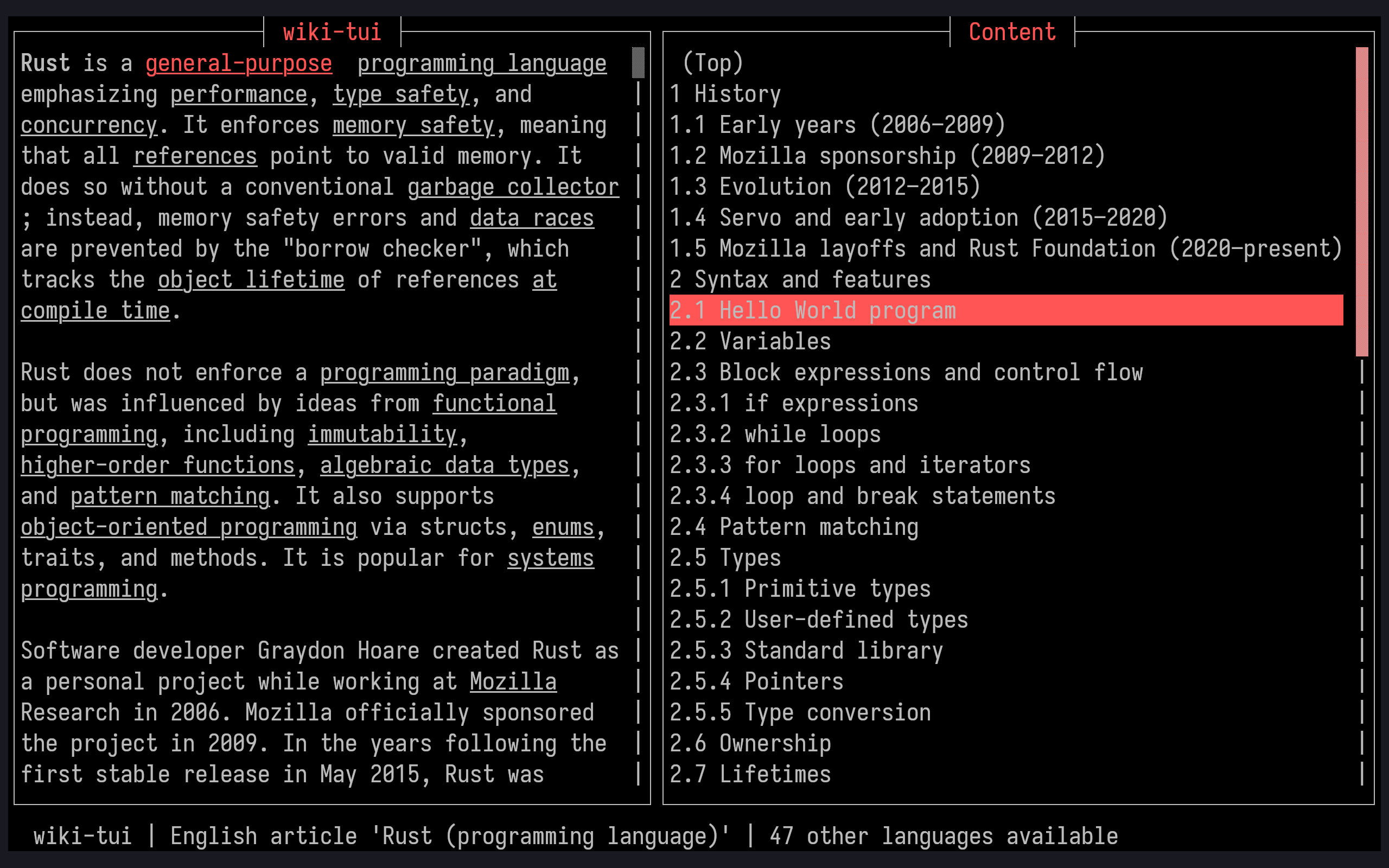
- Another way to avoid the web browser
- (I'm developing somewhat of a pattern here, aren't!)
- If you want to look something up quickly, and not get distracted,
wiki-tuiis something I use every day
JUST
Just a command runner
./Justfile
build:
  cargo build --release

run:
  cargo run

test:
  cargo test

clean:
  cargo clean

init: clean build
cd ~/projects/Decapsulate-com/
echo '> just clean'
echo ""
just clean
- Just is a sane, modern Make replacement for running and chaining commands in your project
- It produces detailed error messages and avoids
make's idiosyncrasies, so debugging a Justfile is easier and less surprising than debugging a Makefile. - Interestingly, the format of a Justfile is so similar to a Makefile that for simple projects you can use both interchangeably
MASK
A CLI task runner defined by a simple markdown file
./maskfile
# Project Build Tasks
## clean
> Remove artifacts generated in the past

You can write documentation anywhere you want. Only certain types of markdown patterns are parsed to determine the command structure.

```sh
cargo clean
```
echo ""
cd ~/projects/Decapsulate-com/
echo '> mask'
echo ""
mask clean
echo ""
- Mask is another command runner, like just and make, but the config file is a standard markdown file, as you see here.
- This is a really neat trick, as it means your documentation can serve as your code, and vice versa
- This is my preferred command runner for all my projects
MPROCS
TUI for running multiple processes
mprocs "cargo watch clippy" "cargo test"
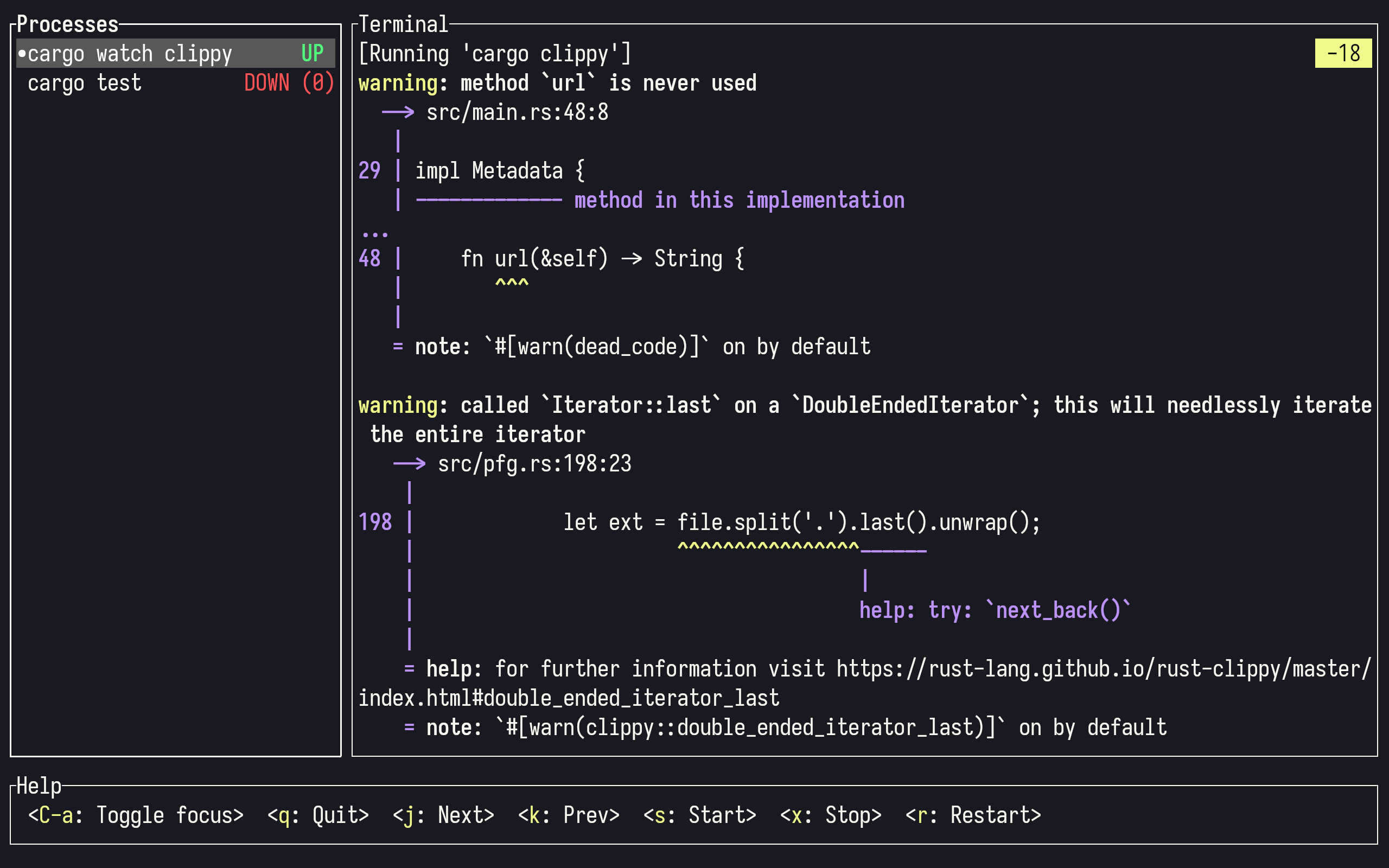
- Mprocs provides a simple way to run a bunch of long-running commands, and monitor their output
- You might use this to run dev databases or web servers, perhaps set up queues or caching
- It feels docker-compose adjacent to me.
- In this example, I've got a cargo clippy watcher here, but you shouldn't do that, you should use bacon, which I demoed earlier.
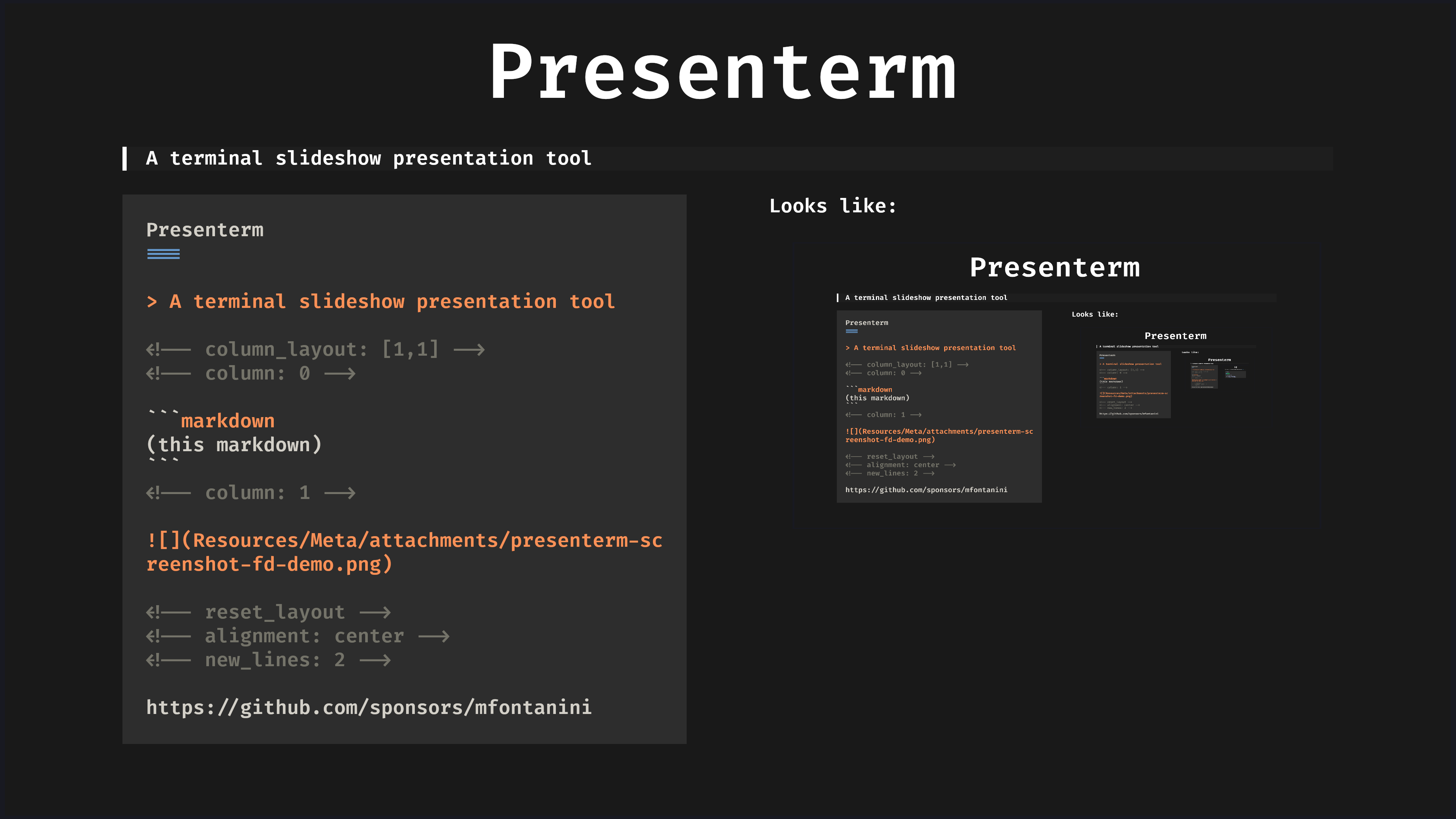
Presenterm
A terminal slideshow presentation tool
Presenterm
===
> A terminal slideshow presentation tool
```markdown
(this markdown)
```
Looks like:
https://github.com/sponsors/mfontanini
Looks like:

❤️ https://github.com/sponsors/mfontanini
Finally, Presenterm, the tool you've been looking at for 10 minutes. Up until a few videos ago, I had been using Obsidian's built in Slides system, based on reveal.js and extended by plugins.
However, I have joyfully replaced this with Presenterm.
- In another win for open data, my slides are still in markdown, and I still edit them with Obsidian or vim or whatever I feel like.
- As you have seen, it supports both images and arbitrary font sizes, this magic enabled by either the Kitty image protocol, which Ghostty also supports, or Sixel, which I understand is a slightly less good protocol, but is supported in Alacritty and others too.
- Indeed, this graphical support extends to mermaid diagrams and Typst and LaTeX typesetting!
- Though for accessibility reasons my videos don't use animation, once you try presenterm for yourself, you'll find fun animations and useful split list support.
I love presenterm, but I'm not sponsored by it, in fact, I sponsor this project, and if you make use of it, I encourage you to do the same.
Honourable Mentions
I ran out of time to talk about these, but they're cool!
- kondo
- If nested clutter doesn't bring you joy, let it go!
- bob-nvim
- Nvim version manager, I have replaced this with nix
- rtx
- An asdf clone, I have ALSO replaced this with nix
- expanso
- A system-wide text expander/templater
I couldn't fit everything I wanted in the video today, here are some that didn't quite make the cut, but are still cool.
I'd love to know your favourite cli tools, even if they're not written in Rust! Do let me know.
Thank You
To all my patrons, you make this possible!
let producers: [&str; 0] = [];
let sponsors = [
	"Jaycee", "Ything LLC", "PotatoScream"
];
let patrons: [&str; 879];
I'd be very greatful for your support on:
If you would like to support my channel, get early ad-free and tracking-free videos, your name in the credits or 1:1 mentoring, head to my patreon.
If you're interested in transhumanism and hopepunk, please check out my weekly sci-fi audiofiction podcast, Lost Terminal.
Season 3 of the Phosphene Catalogue is coming soon, if you like mysteries and art, check it out!
Transcripts and compile-checked markdown sourcecode are available on namtao.org and github, links in the description, and corrections are in the pinned ERRATA comment.
Thank you so much for watching, talk to you on Discord.